Podcast Transcription Workflow for Creators
A podcast transcription workflow for turning episodes into searchable transcripts, clips, show notes, subtitles, and reusable creator content.

Kevin Li
A podcast transcription workflow turns one recording into more than an archive. It gives you text you can search, edit, quote, caption, and repurpose.
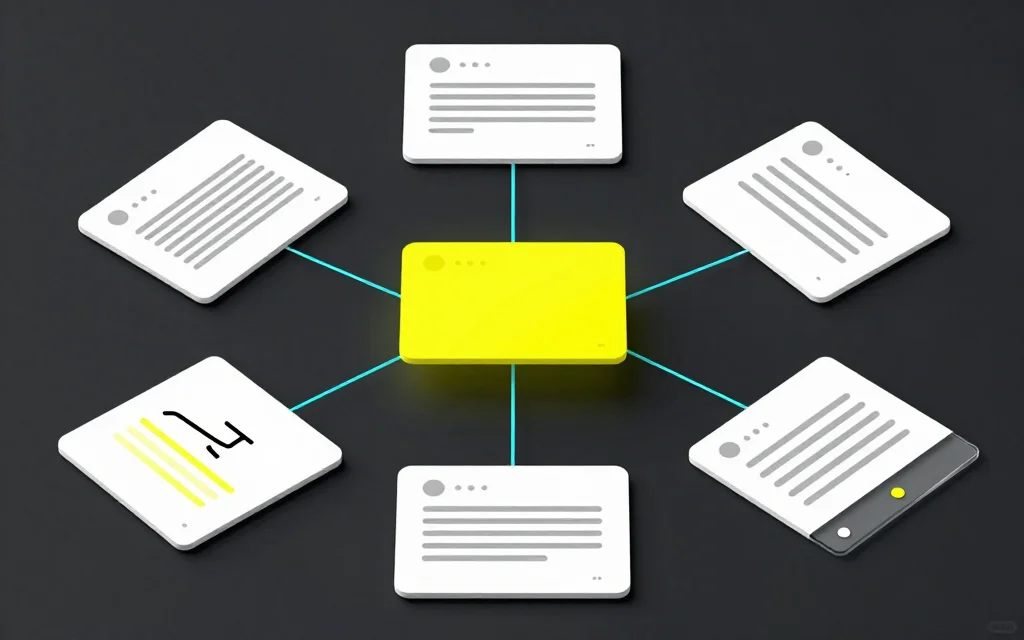
For creators, the transcript is usually the bridge between a long episode and everything that happens after: show notes, clips, subtitles, newsletters, pull quotes, and guest review.
Start with the right source
If you have separate audio tracks for each speaker, keep them. They can make review easier. If you only have a finished MP4 or audio file, that still works, but expect to spend more time checking speaker changes.
Use the podcast transcription tool when the recording fits the upload-duration limit of your current plan. If a full episode is longer, use a dedicated long-form transcription tool or split it outside CaptionBolt first. For a regular video that fits the same plan limit, video transcription may be the better starting point.
The first goal is a reliable transcript, not a perfect article.
In a real podcast workflow, the transcript is usually the first draft of several assets. That is why it is worth spending a few minutes on source quality and speaker context before anyone starts writing show notes or cutting clips.
Keep one transcript as the source of truth
Once the transcript is generated, save a clean source version before turning it into other assets. That source transcript should be the version you trust for names, timestamps, and speaker context.
Then create separate working versions for show notes, clips, quotes, or subtitles. This prevents small edits from drifting across files. If a guest name is corrected in the source transcript, you know where the correction should start.
For teams, this is especially useful. The producer, editor, and writer can all work from the same base instead of passing around slightly different drafts.
It also makes updates less risky. If a guest asks for a correction, you can fix the source transcript first, then update the clips, show notes, and subtitle files that came from it.
Review names and speaker context first
Podcast transcripts often fail in predictable places: guest names, company names, acronyms, book titles, and inside jokes.
Fix those early. They affect every downstream use. A show note with the wrong guest name is worse than no show note.
Then check speaker context. If your transcript has speaker labels, make sure they are useful. If it does not, add simple labels where the conversation would otherwise be confusing.
Turn the transcript into show notes
A transcript is usually too raw to publish as show notes. Show notes should help someone decide whether to listen, revisit a section, or share the episode.
Pull out the main topics, strongest quotes, resources mentioned, and timestamps if they are useful. Keep the voice natural. Do not turn the notes into a stiff summary that sounds unrelated to the episode.
If the episode has a clear structure, add headings. If it is a looser conversation, group topics in the order they appeared.
Pull quotes without losing context
Podcast transcripts are great for finding quotes, but quotes need context. A sentence that looks sharp on its own may have been part of a joke, a disagreement, or a longer explanation.
When you pull a quote, read at least a paragraph before and after it. If the quote depends on a question from the host, include that setup in the caption or clip. If the guest changes their mind two sentences later, do not isolate the first line as if it were the final point.
This is not only about being fair to guests. The right setup makes a quote easier to understand and less likely to misrepresent what the guest meant.
Use the transcript to find clips
Podcast clips work best when they preserve enough setup. A punchline without the question often falls flat.
Scan the transcript for moments where a guest tells a story, gives a strong opinion, explains a mistake, or answers a practical question. Then watch the surrounding video before cutting.
For a manual clip workflow, review the podcast clip selection guide or the long-video clipping guide. After you choose and cut the moment in a dedicated editing tool, add captions and resize it for the destination platform.
Create subtitles for video podcasts
If you publish video clips from the podcast, captions matter. Use an auto subtitle generator for the final clip, then review timing and names.
For longer video podcast uploads, export SRT or VTT so the platform can use the subtitles as a track. If you need to edit the file, use the subtitle editor.
For short clips, burned-in captions are useful when the text needs to remain visible with the MP4 and you want to control the style. For the full episode, a separate SRT track lets the viewer turn captions on or off.
Common mistakes
Publishing a raw transcript without cleanup is rarely worth it. Spoken language is messy. A readable transcript needs punctuation, speaker clarity, and corrected names.
Summarizing too aggressively can be just as bad. If the transcript loses the guest's actual phrasing, the best quotes disappear.
The third mistake is cutting clips from text alone. A section may read well but have weak delivery, bad audio, or a visual interruption.
Finally, do not ignore permission. If a guest expected a full conversation, make sure clips do not change the meaning of what they said.
When a full transcript is worth publishing
Publish a full transcript when the episode is educational, interview-based, research-heavy, or likely to be referenced later. It helps listeners search the content and helps people who prefer reading.
For casual episodes, a cleaned summary plus clips may be enough.
If you publish full transcripts, add a short intro at the top explaining what the episode covers. Readers often need orientation before dropping into a long conversation.
FAQ
Why transcribe a podcast?
Transcription makes the spoken content searchable within the text and reusable for show notes, clips, subtitles, and quotes. For accessible timed playback, publish a reviewed caption track with the media.
Should podcast transcripts be verbatim?
Not always. Keep the meaning and important phrasing, but clean enough punctuation and filler words to make the transcript readable.
Can I make short clips from a podcast transcript?
Yes. Use the transcript to find candidate moments, then watch the video around each moment before cutting.
What format should I export?
Use TXT for notes, SRT for subtitles, and MP4 with burned-in captions for social clips.
What tools connect to this workflow?
Start with podcast transcription, then use auto subtitles, video resizer, or OpusClip alternative workflows depending on the next step.