About CaptionBolt
You recorded the video. CaptionBolt helps you finish it.
Turn talking videos, demos, interviews, course clips, and Zoom recordings into polished, captioned videos ready to publish—without learning a multi-track editor.

How it works
A short path from upload to export.
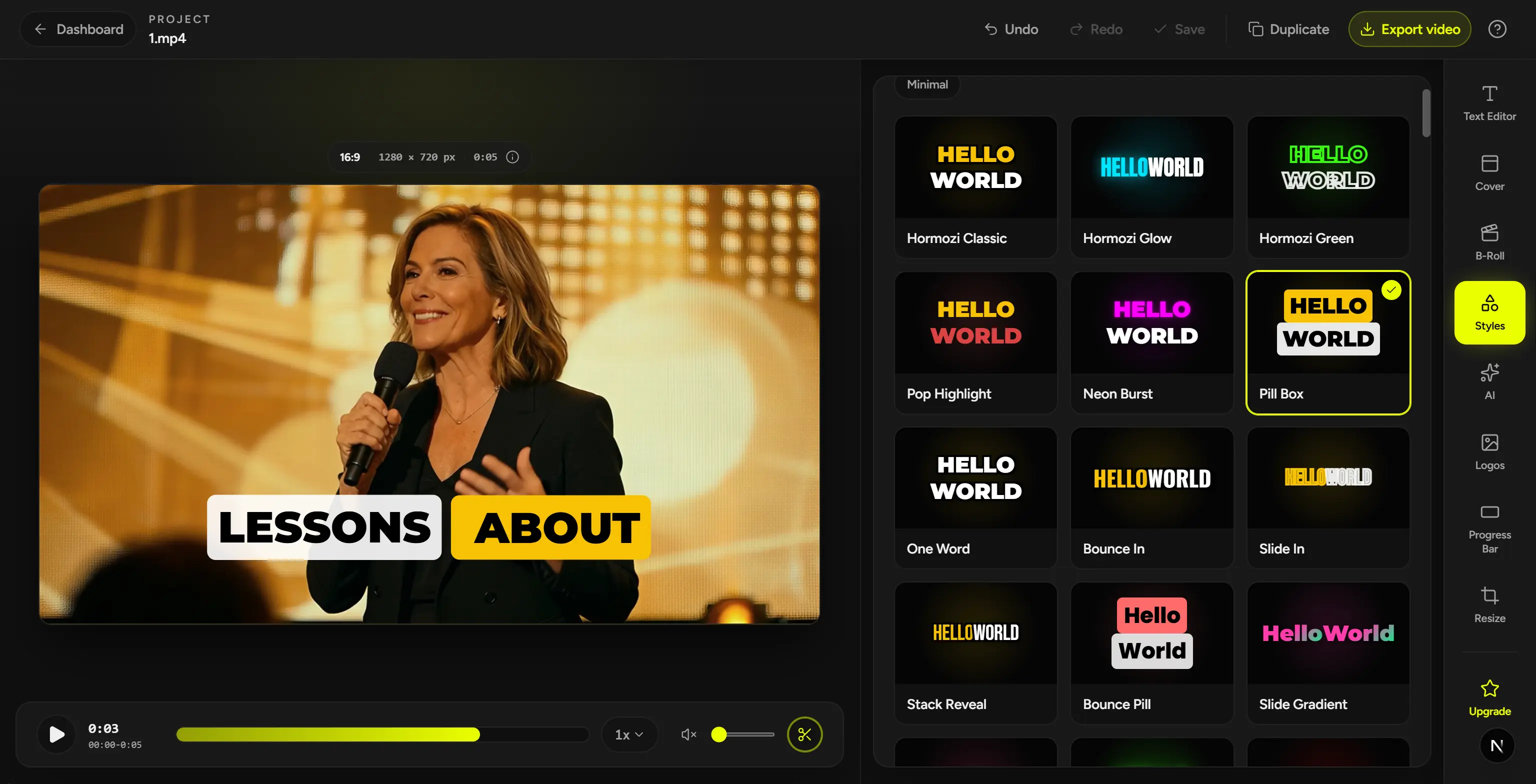
CaptionBolt starts with editable captions and the original frame. Review the words and framing, use Resize or Clip only when needed, then export.
- 01
Upload the video you already recorded.
Start with talking footage, a demo, an interview, a course clip, or a Zoom recording.
- 02
Review the captions and frame.
Correct the words, choose a caption style, and keep the original frame—or use Resize and Clip when the video needs them.
- 03
Export a video ready to publish.
Download the captioned MP4 and any subtitle or text files included with your plan.
Why CaptionBolt exists
Finishing should not take longer than recording.
The work after filming is made of small, repeatable decisions: fix the transcript, style the captions, check the frame, trim what you do not need, and export. Each step is manageable. Repeating them across several tools is what slows publishing down.
CaptionBolt keeps that work in one caption-first workspace, so you can finish the video without learning a traditional editing suite.
Captions still need review and styling.
Formats and final cuts still need checking.
Brand settings and delivery work get rebuilt every time.
Who it is for
Built for people whose videos support their business.
For people who publish regularly for themselves or their clients and want a repeatable way to finish each video.
01
Creators and expert-led brands
Coaches, consultants, educators, course creators, and personal brands turning recorded expertise into polished social videos.
02
Marketing and small content teams
Social media managers, freelancers, and small teams that need consistent captions, branding, and delivery across regular work.
03
Professional subtitle workflows
Editors and teams that need editable transcripts or plan-supported SRT, ASS, VTT, and TXT files for Premiere Pro, DaVinci Resolve, Final Cut Pro, or another workflow.
Designed to stay focused
More control without turning into a full video editor.
CaptionBolt helps finish footage you already chose. It does not try to become a multi-track editing suite or another long-video clipping product.
Finish first. Go deeper when needed.
The default path keeps the first export close. Deeper controls stay out of the way until you need them.
AI suggests. You decide.
Anything that can change pacing, meaning, or brand expression stays optional and editable.
Preview and export should agree.
The project you check in the browser should stay aligned with the file you download. Check final placement once more in the destination app before publishing.
When the video needs more, Cover, B-Roll, brand tools, Video presets, and Social posts stay available without becoming required steps.
Finish the video you already recorded.
Start free with editable captions and the original framing. Use Resize or Clip only when you need them.
No credit card required.