OpusClip Alternative for Podcasters: What to Look For
A practical guide for podcasters separating automatic clip discovery from transcription, caption finishing, and controlled export.

Kevin Li
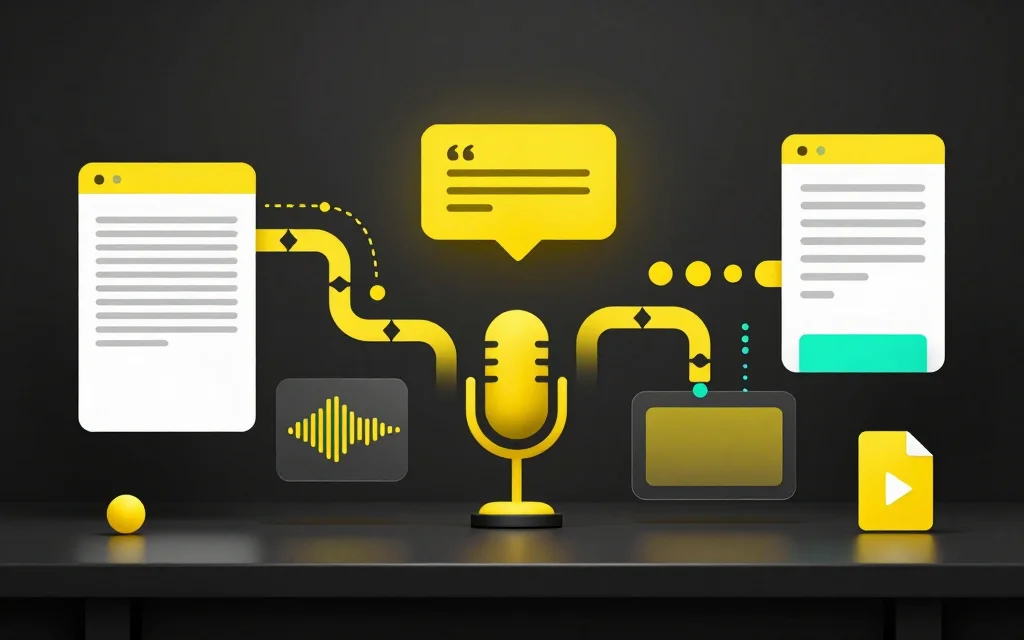
A complete podcast-clipping workflow usually spans moment selection, cutting, captions, framing, and export. One product may cover all of those steps, or you may combine a dedicated clipper with a focused finishing tool.
The right tool depends on your show format. A solo commentary podcast, a remote interview, and a video roundtable all create different editing problems.
Start with the podcast workflow
Most podcast clip workflows have five parts: upload the recording, transcribe it, identify moments, turn those moments into clips, then format and caption the clips for social platforms.
CaptionBolt supports the finishing steps after you have chosen and cut the moment: editable captions, optional Resize, manual Clip review, and export. Podcast transcription is available only for files within the active plan's upload-duration limit. CaptionBolt does not automatically discover or cut clips from a full episode.
That is a narrower promise than "AI will find every viral moment." It may fit a podcaster who already has a selected clip and wants control over the transcript, framing, and final caption treatment. Conversation clips still need context, speaker clarity, and careful caption review.
What podcasters should compare
Look at transcript quality first. If the transcript is hard to scan, finding clips becomes slower. Speaker names, topic shifts, and clean paragraph breaks matter when you are trying to repurpose a full episode.
Then look at caption editing. Social clips often need burned-in captions, but auto captions still need review. You should be able to fix names, correct punctuation, and adjust line breaks without fighting the tool.
Reframing matters too. A video podcast may need vertical clips for TikTok, Reels, and Shorts. If the tool crops faces badly or hides gestures, the clip will feel careless even if the moment is good.
Finally, compare export control. A team that posts several clips per episode needs consistent output, not one-off experiments.
Solo shows and interviews need different tools
Solo shows are often easier to clip because the speaker, framing, and audio track are consistent. The hard part is finding the strongest idea and making the hook clear.
Interview podcasts need more care. The clip may need the question before the answer, and captions should make it clear who is speaking. If the video shows both people, vertical reframing can accidentally favor one speaker and remove the reaction that makes the moment work.
Roundtable shows are harder again. A good tool should help you review the transcript, then let you make editorial decisions instead of forcing every moment into the same template.
When an alternative makes sense
Consider an alternative if your current workflow creates clips but leaves you doing too much cleanup elsewhere. For example, if you still need a separate transcription tool, a separate caption editor, and a separate resizer, the clip tool may not be solving the whole job.
Also consider a switch if your podcast is interview-heavy. Interviews need better transcript scanning and caption review than simple monologue clips.
If you only need one clip, test the full path from source to export before committing to a tool. If you publish weekly, repeatability and cleanup time become more important.
What not to overvalue
Do not choose only by the number of templates. Templates help, but the clip still needs a strong moment, accurate captions, and clean framing.
Do not overvalue a fully automated highlight if your show has niche terms, guest names, or inside jokes. Those clips often need human review.
Do not assume vertical crop is always correct. Some podcast clips need split-screen or wider framing to keep both speakers visible.
A practical evaluation checklist
Test one full episode. Do not judge from a 30-second sample.
Check whether the transcript helps you find moments quickly. Edit captions on a real clip. Resize the clip for a vertical platform. Export it and watch on a phone.
If the workflow feels good on a normal episode, it is more likely to hold up every week.
Also check the boring parts of the process: file naming, download steps, and how easy it is to make a second or third clip from the same episode. Weekly publishing breaks down when every export needs manual cleanup.
Related tools and guides
- Compare workflows on the OpusClip Alternative page
- Transcribe episodes with Podcast Transcription
- Create Podcast Clips
- Turn long videos into clips with Long Video To Clips
- Read the podcast transcription workflow
FAQ
What should podcasters look for in an OpusClip alternative?
Look for transcript scanning, caption editing, clip creation, reframing, and exports that fit your posting workflow.
Do podcast clips need captions?
They are often useful because a clip may be encountered without usable audio. Captions still need review for names, timing, and readability.
Should I transcribe the full podcast first?
Yes, if you want to find clips efficiently and create show notes or summaries from the same recording.
Is automatic clipping enough?
It can surface candidates, but the final clip still needs editorial judgment and caption review.
Should I make vertical clips from every podcast?
Only when the framing works. Some multi-person clips need careful resizing or reframing.