Before CaptionBolt Had a Name
How a caption feature inside GQV.ai became a product of its own—and why the work started before the CaptionBolt domain existed.

Kevin Li

CaptionBolt did not begin with a domain name. It began with a feature we almost treated as plumbing.
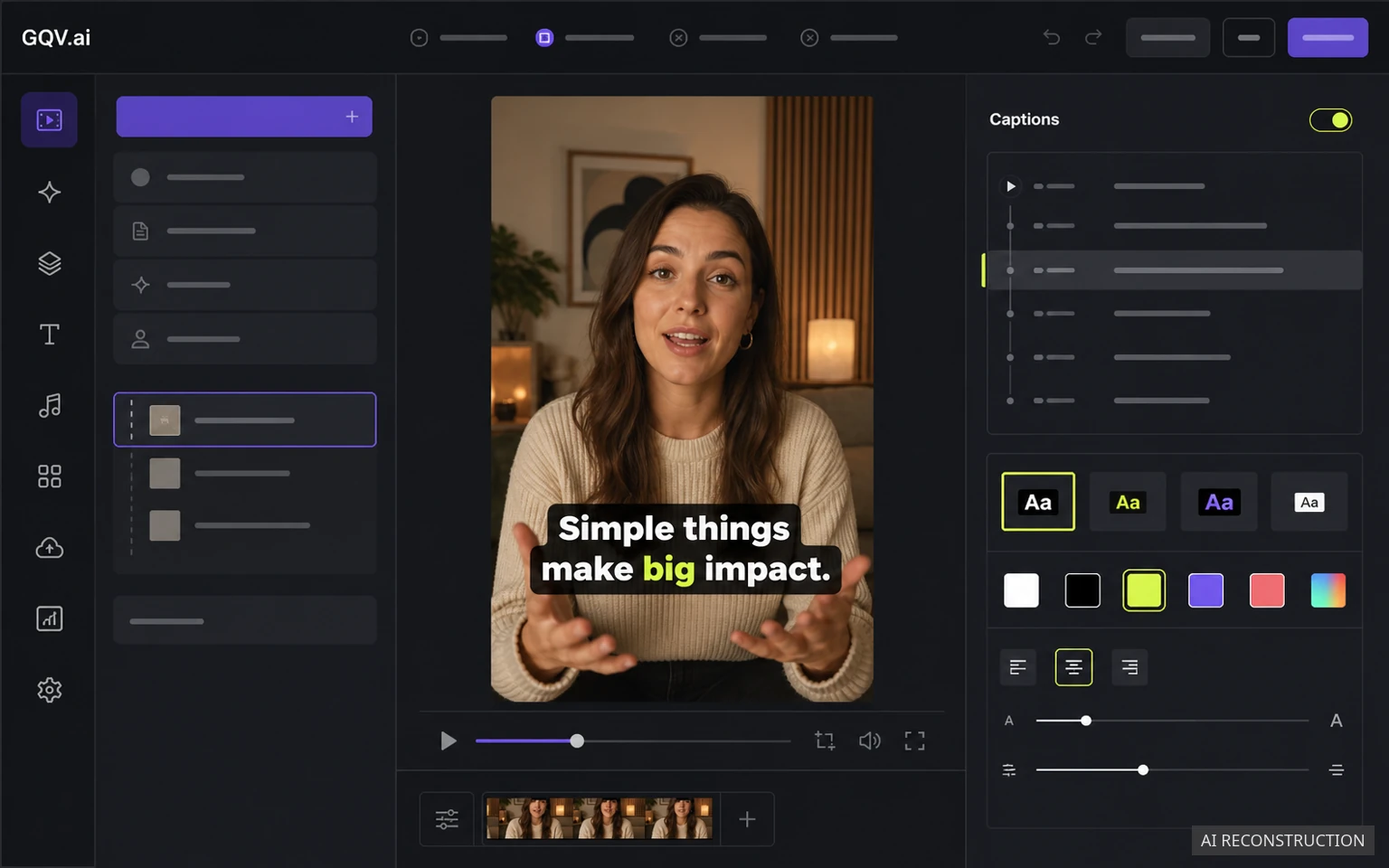
Throughout 2025, we were building and running GQV.ai, a separate product for creating AI advertising and UGC videos. It had the larger, more obvious pieces you would expect: ideas, scripts, media, voices, and finished video. Captions sat near the end of that workflow. They were supposed to be one more finishing step.
Then people started using the side door.
The CaptionBolt domain was registered on March 21, 2026, after a full year of running GQV.ai had already shaped the work described in this story. This article's March 23 publication date begins the public blog timeline; it does not mark the beginning of our work on captions.
The Question Hiding at the End of an Ad
While building GQV.ai, we spent a lot of time reviewing short ads and UGC-style videos. We were trying to understand what made a message easy to follow before asking software to generate more of it.
Captions kept appearing in that work.
The research and creative examples we reviewed often pointed in the same direction: well-used captions could help viewers follow a video, especially when the sound was off or the opening moved quickly. Some of that research also connected captions with stronger watch-through or conversion outcomes.
We did not take that as a universal promise. A bad ad does not become persuasive because someone put large words on it, and a caption style cannot guarantee retention or sales. What we took from the research was simpler: captions were important enough to stop treating as an afterthought.
So we added a caption feature to GQV.ai.
The Small Feature That Kept Earning Attention
The first version was practical. Generate a transcript, place readable text on the video, and let someone finish the result without rebuilding every line by hand.
Then we added more expressive treatments inspired by the caption patterns people were already seeing on TikTok and in other creator videos: stronger word emphasis, bolder colors, and more energetic pacing. They were not a strategy by themselves. They simply made the captions feel like part of the video instead of a file attached at the end.
The response was better than we expected. More importantly, the way some people used the product changed. They came into GQV.ai for the caption step. In a product designed around AI advertising and UGC generation, a subset of users was bringing in footage because they wanted the captions.
Our product map said captions were a feature. Their behavior said captions were a job.
That was the point when the idea of a separate product stopped feeling like unnecessary expansion. Separating it could actually make the experience smaller.
A Popular Feature Can Still Live in the Wrong Product
From a developer's perspective, the two products wanted different priorities.
An AI ad generator has to coordinate many creative decisions: what to say, which media to use, how a scene should look, and what the final variation should contain. A caption tool has a narrower standard, but it is not a lower one. It needs a reliable transcript, fast correction, useful styles, clear timing, and an exported file that agrees with the preview.
Inside a larger generator, every caption improvement had to compete with the rest of the creation pipeline. The interface also carried decisions that someone arriving with an already-recorded video did not need.
Pulling captions out gave us a cleaner question to work on:
If someone already has the footage, what is the shortest honest path from that file to a captioned video they are comfortable publishing?
That question eventually became CaptionBolt.

The Domain Came After the Decision
There is a tidy version of a startup story where someone buys a domain, writes a roadmap, and then builds the product exactly as imagined. That is not what happened here.
We built the useful piece first. We watched how people responded to it. We noticed that part of the product was solving a clearer problem than the product around it. Only then did we give that work its own name and domain.
Registering captionbolt.com on March 21, 2026 made the decision visible. It did not create the underlying work on that day.
This distinction matters because a domain record can tell you when an address was registered. It cannot tell you when a team first encountered a problem, tested an idea, discarded a bad version, or learned that users were taking a feature more seriously than expected.
The earliest CaptionBolt work lived inside GQV.ai. The independent product came later.
What We Thought We Were Building
At first, our imagined workflow was almost aggressively small:
- Upload a video.
- Generate captions.
- Choose a look.
- Download the result.
That simplicity was useful. It forced us to identify the part people already valued.
It was also incomplete. Real footage contains misspelled names, awkward line breaks, uncertain timing, unwanted beginnings and endings, and formats that do not always match the destination. A caption tool cannot remove every decision. It can make the important decisions easier to see and easier to correct.
We also learned a harder lesson later: spinning a focused feature out of a broad product does not guarantee that the new product will stay focused. We added too many adjacent ideas, made CaptionBolt harder to explain, and eventually had to narrow it again. That part of the story is recorded in why we chose a smaller product.
Current Note — August 2026
The product is more capable than the four-step prototype we first imagined, but the main job has not changed.
CaptionBolt starts with footage the user has already recorded and selected. It creates editable captions and preserves the source framing by default. Resize and Clip are optional. The user reviews the words, timing, framing, and any additional finishing choices before export.
AI prepares the first pass. It does not get the final word on what is published.
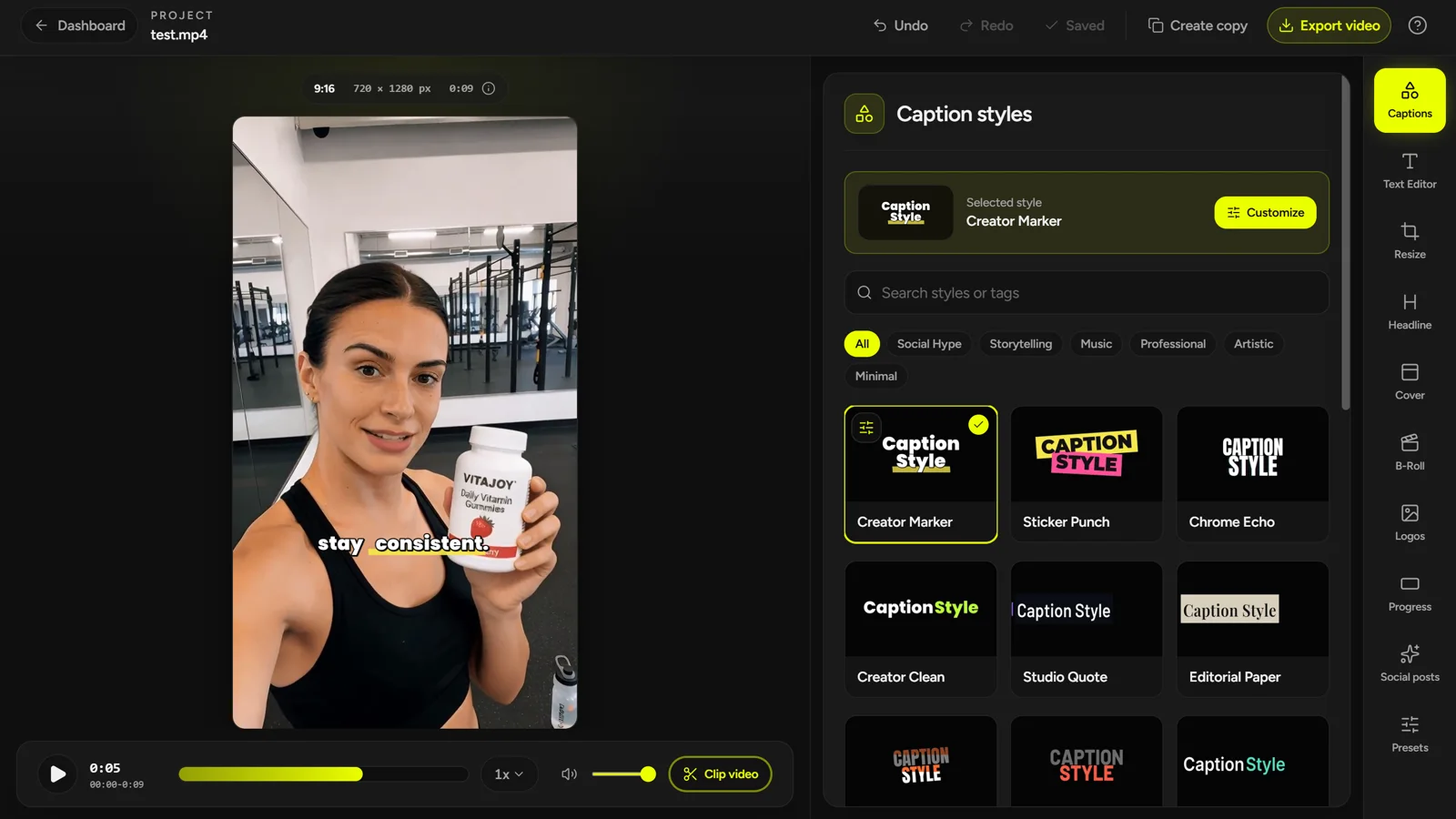
The path from GQV.ai to CaptionBolt was not a clean master plan. It was a sequence of small observations: captions mattered more than we expected, some users wanted them without the larger generator, and a narrower product could serve that job better.
That is still how we want to build. Start with the work people are actually trying to finish. Make the default path smaller. Let the user inspect the result. Earn the next feature instead of assuming it belongs.
You can see that direction in the Video Captions workflow, try the auto subtitle generator, or continue with the developer story about what we rebuilt after choosing focus.